The HR Dashboard for Your Workday
The workday starts with ten tabs and the question of what’s due today. The staffboard dashboard shows open tasks, who is out and what matters, on one page.
- Approve open tasks like leave requests right there
- Absences, birthdays and reminders
- Quick links to your other tools
When important things slip
Not from carelessness, but because they’re scattered everywhere.
Too many tabs
Intranet, benefits portal, password manager, CRM: everyone collects their own links.
Requests sit waiting
An open leave request waits three days because nobody saw it.
How the dashboard helps
You see what’s urgent before you go looking for it.
One start page for the whole team
Without staffboard: Reminder emails and searching.
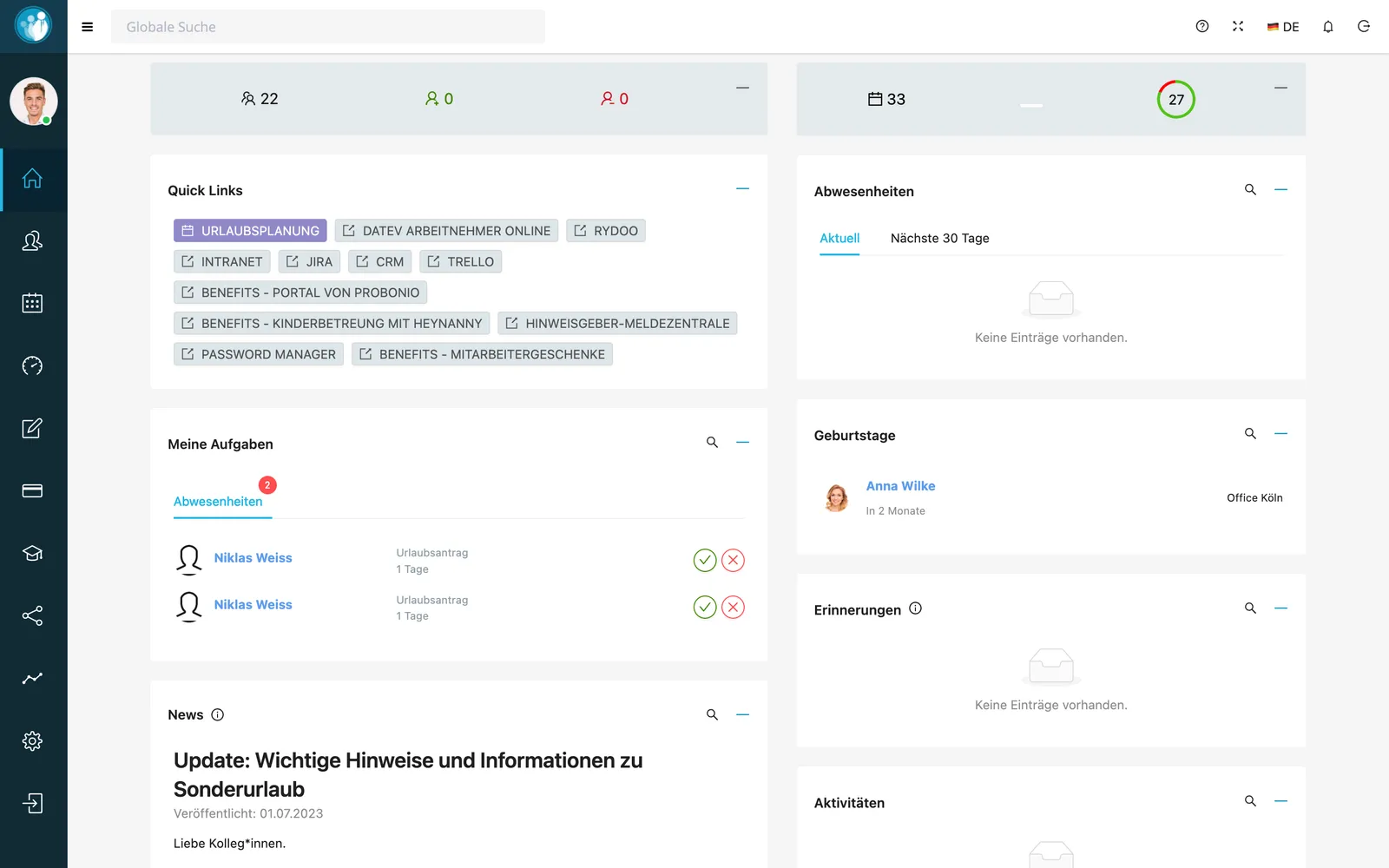
My tasks lists open requests you can approve or decline right away. Next to it you see current absences, birthdays, reminders and activity.
Quick links lead to leave planning, the intranet, benefits and every tool your team needs daily. Publish news for the team right on the start page.
In short: the staffboard dashboard
The dashboard is staffboard’s start page. It shows everyone their open tasks, current absences, birthdays, reminders and news, with quick links to other tools.
- Tasks
- Approve or decline open requests directly
- Widgets
- Absences, birthdays, reminders, activity, news
- Quick links
- Configurable links to internal and external tools
Frequently asked questions
What do employees see on the dashboard?
Their open tasks, current absences, birthdays, reminders, news and your company’s quick links.
Can I add my own quick links?
Yes, for example to the intranet, a benefits portal, CRM or password manager.