
HR Reports Without Spreadsheet Gymnastics
Management wants headcount by department, and you build yet another spreadsheet. In staffboard the most important HR reports are ready to go.
- Headcount, joiners and leavers, age structure
- Personnel cost forecast and salaries
- A report for every absence type
Why HR numbers take so much work
The data exists, just not in one place.
Every question, a new spreadsheet
Headcount, sick days, turnover: each report means exporting and sorting again.
Decisions by gut feeling
Without current numbers, workforce planning and budgets stay a guess.
How you get your numbers in staffboard
One click instead of an hour of spreadsheet work.
Ready-made reports for the common questions
Without staffboard: Export, sort, pivot table.
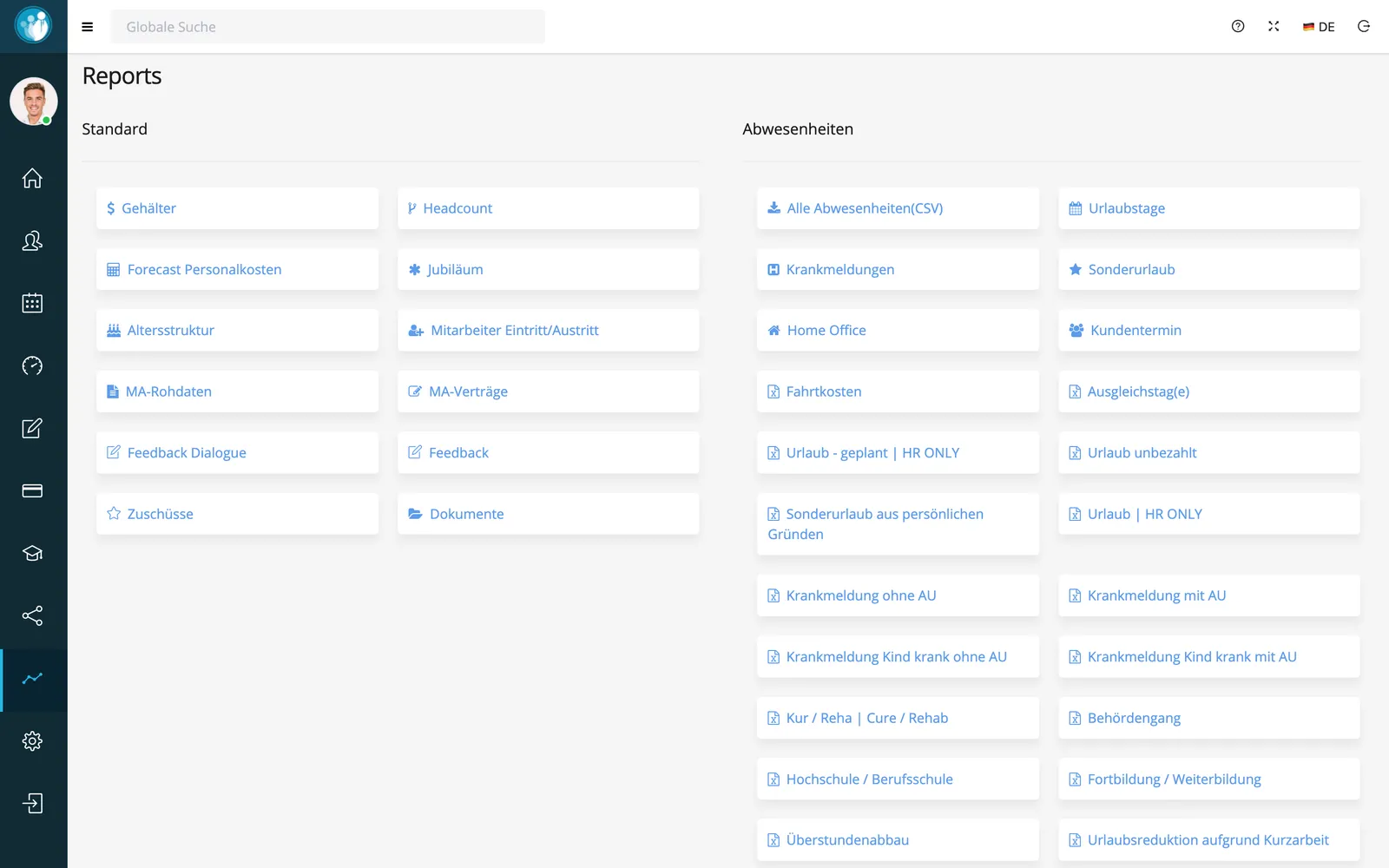
Standard reports on salaries, headcount, personnel cost forecast, anniversaries, age structure, joiners and leavers, contracts, feedback and documents.
Every absence type has its own report, from vacation and sick leave with or without a certificate to training and overtime compensation.
In short: reports in staffboard
staffboard includes ready-made HR reports on workforce, costs and absences. They draw on the employee file, payroll and absence data and can be exported.
- Standard
- Salaries, headcount, personnel cost forecast, anniversaries, age structure, joiners/leavers, contracts, feedback, documents
- Absences
- One report per absence type, e.g. vacation, sick leave, remote work
- Filters
- Period and people
- Export
- Download, e.g. as CSV
Frequently asked questions
Which reports are included?
Among others: salaries, headcount, personnel cost forecast, anniversaries, age structure, joiners and leavers, contracts, feedback, documents and one report per absence type.
Can I export reports?
Yes. Reports can be downloaded, for example all absences as CSV.
Your next number in seconds, not hours
We’ll walk you through the reports with sample data in a demo.