
Payroll Preparation Without the Back-and-Forth
At month-end the new address, the sick day or the salary change is missing, and your payroll provider asks again. staffboard collects everything that matters for payroll in one monthly view.
- Employee data, pay data and absences per month
- Filter by department, location and position
- Export for your payroll provider or tax advisor
Why payroll prep is such a chore
Often the payroll run happens elsewhere. The preparation stays with you.
Hunting for changes
New bank details, part-time from the 15th, two sick days: each comes from a different source.
Questions from payroll
Every missing detail means another email and a later close.
No overview of pay
Who earns what in which department is scattered across contracts.
How you prepare payroll with staffboard
All of a month’s information in one place.
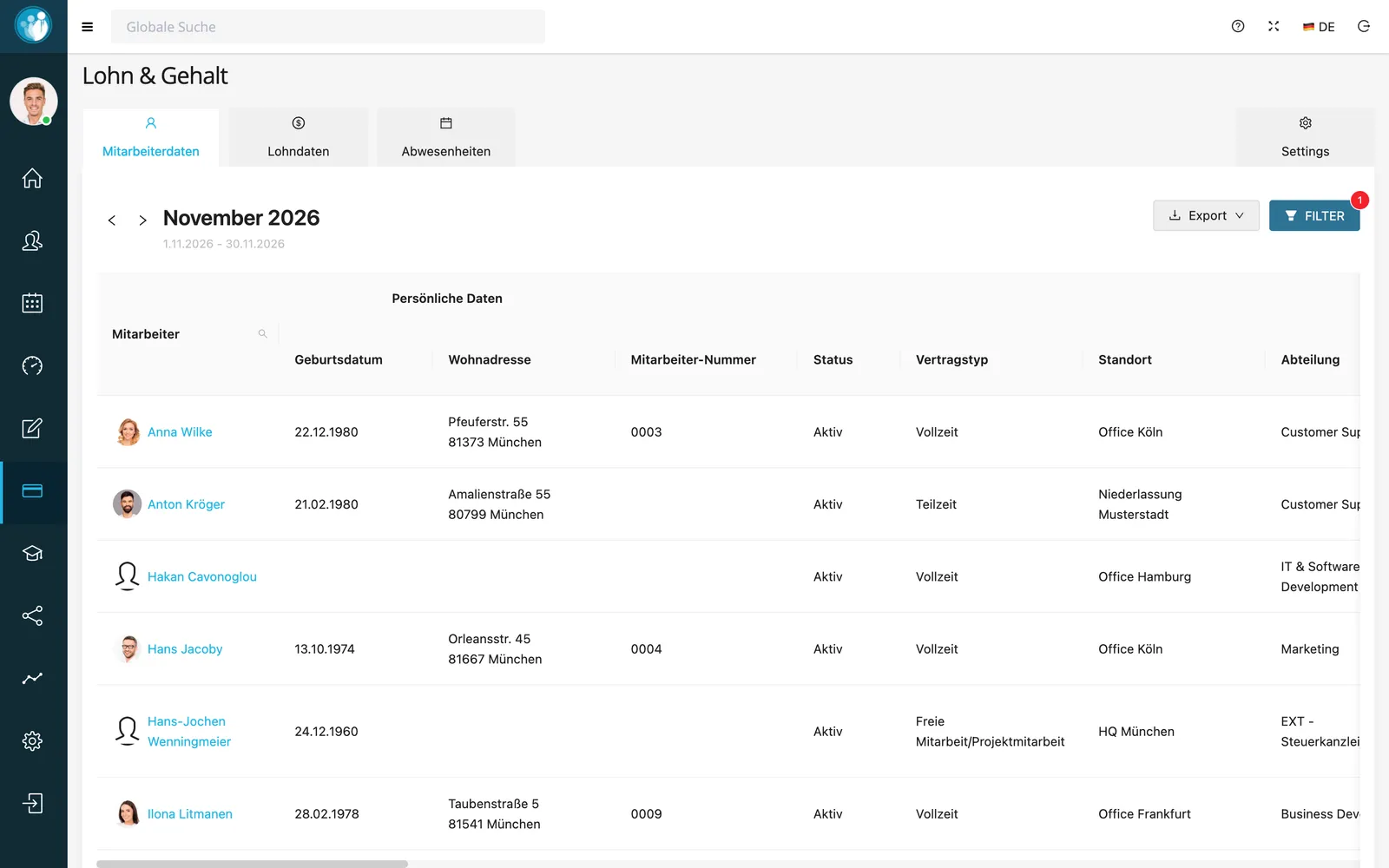
One monthly view for everything payroll-related
Without staffboard: Reconciling three systems.
The tabs for employee data, pay data and absences show what matters for the month: contract type, status, location, department and more.
Filter by department, location or position and export the list for your payroll provider.
In short: payroll in staffboard
The payroll module in staffboard prepares payroll. It brings together a month’s master data, pay data and absences and exports them for your payroll provider or tax advisor, who runs the actual payroll.
- Views
- Employee data, pay data, absences per month
- Filters
- Department, location, position, direct search
- Export
- For your payroll provider or tax advisor
- Access
- Visibility controlled through roles & permissions
Frequently asked questions
Does staffboard run payroll?
No. staffboard prepares and exports all payroll-relevant data. The payroll run happens at your payroll provider or tax advisor.
What do I see in the monthly view?
Personal data, contract type, status, location, department, pay data and the month’s absences.
Who can see pay data?
Only the people you allow through roles & permissions.
Close the month faster
In the demo we’ll show you the monthly view with your own fields.